
For caregivers and nurses


Your duties, in the Pulso app.
Your agency added you? Install the app and sign in with your number. Your duty, the Start OTP and the daily selfie check-in are there.
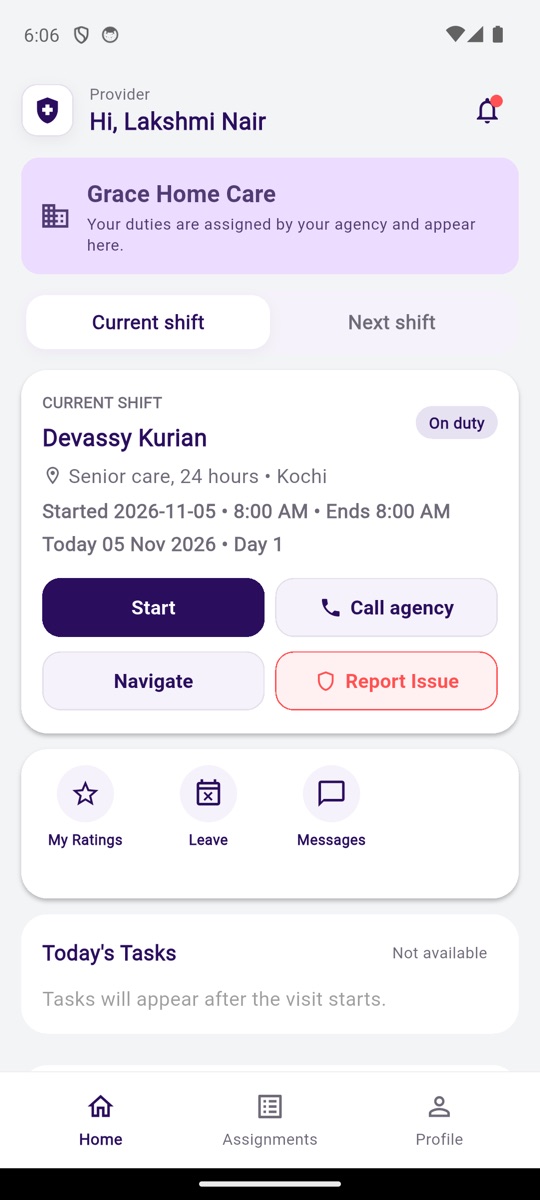
Sample agency and names shown.
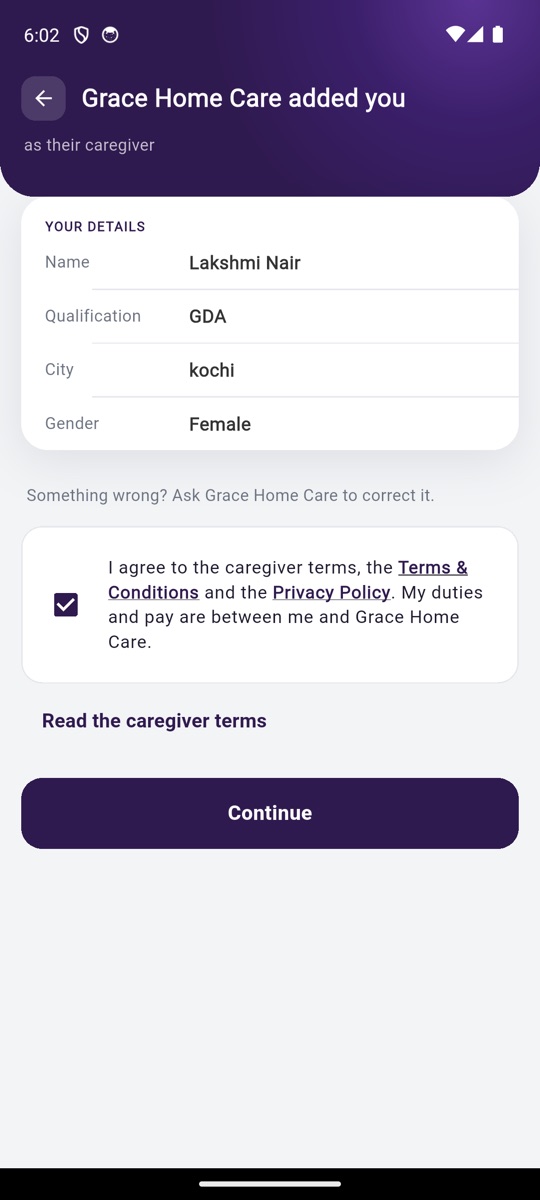
Your agency added you
- Install the Pulso app.
- Sign in with the mobile number your agency gave. The OTP comes to that number.
- Check your details: name, qualification, city, gender. Something wrong? Ask your agency to correct it.
- Tick the caregiver terms and tap "Continue". That is all. No joining steps. No fee.
What you will see
- Your duty. The client's name, the address, the days, the start date. "Call agency" and "Message agency" from the duty.
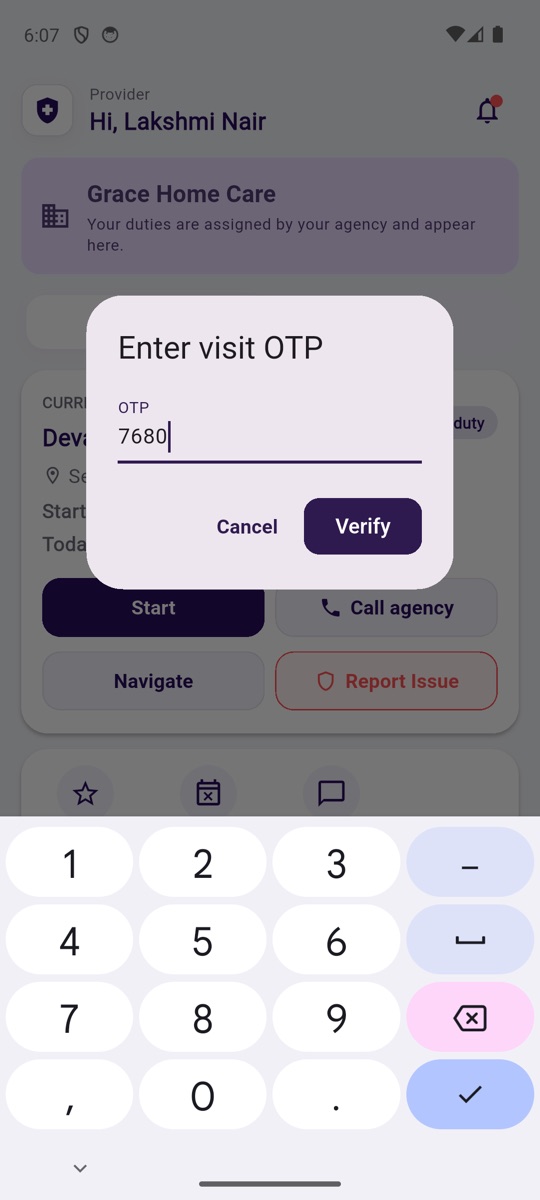
- Start. At the client's home, enter the Start OTP your agency gives you. The duty starts.
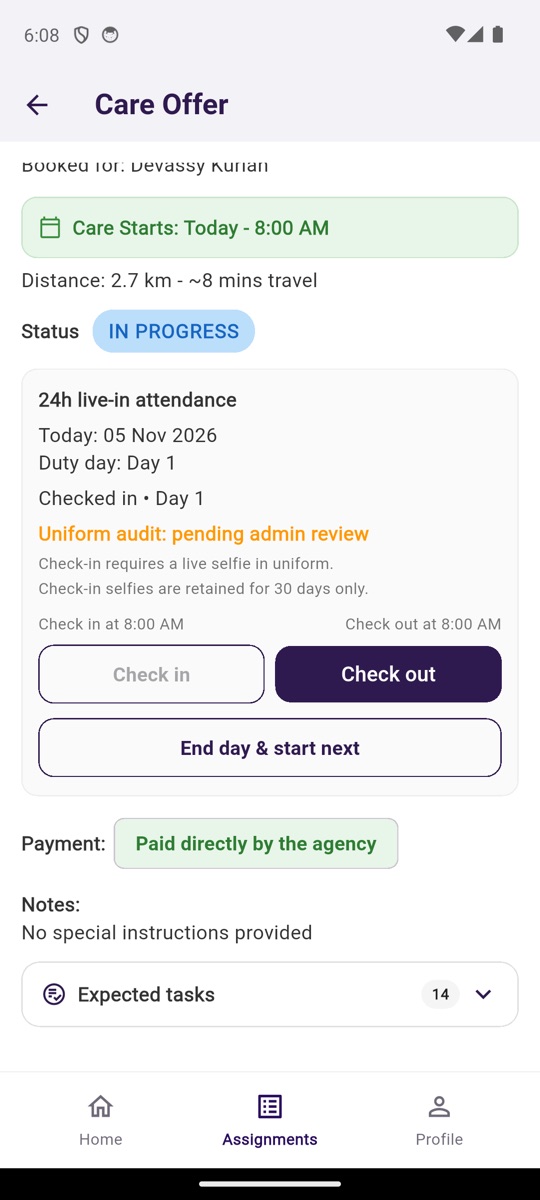
- Every day. "Check in" with a selfie in uniform. Your agency sees it at once.
- Your attendance. Every checked-in day is on record.
- Your pay. "<Your agency> pays you directly." Your duties and pay are between you and your agency.
Caregiver terms
What you tick in the app.
- Your agency gives you your duties and pays you. Pulso is the app you both use; Pulso does not employ you and does not pay you.
- Your duties, pay and leave are agreed between you and your agency. Pulso does not decide them.
- The app records your check-in, check-out and attendance for each duty. Your agency sees these records.
- Your name, phone, qualification, photo and city are shown to your agency and to the client you are sent to.
- Your agency can remove you from its team in the app. Your record and history stay with you.
- You can leave your agency by asking them to remove you. Pulso can also be asked to release your number.
Looking for work?
Join Pulso's own pool of caregivers and nurses. Kerala, Bengaluru and the UAE. Tell us your qualification and your place; the chat does the rest.
Or install the app and tap "Caregiver / nurse job".
Trouble installing or signing in?
WhatsApp or call +91 87141 05666.